Overview
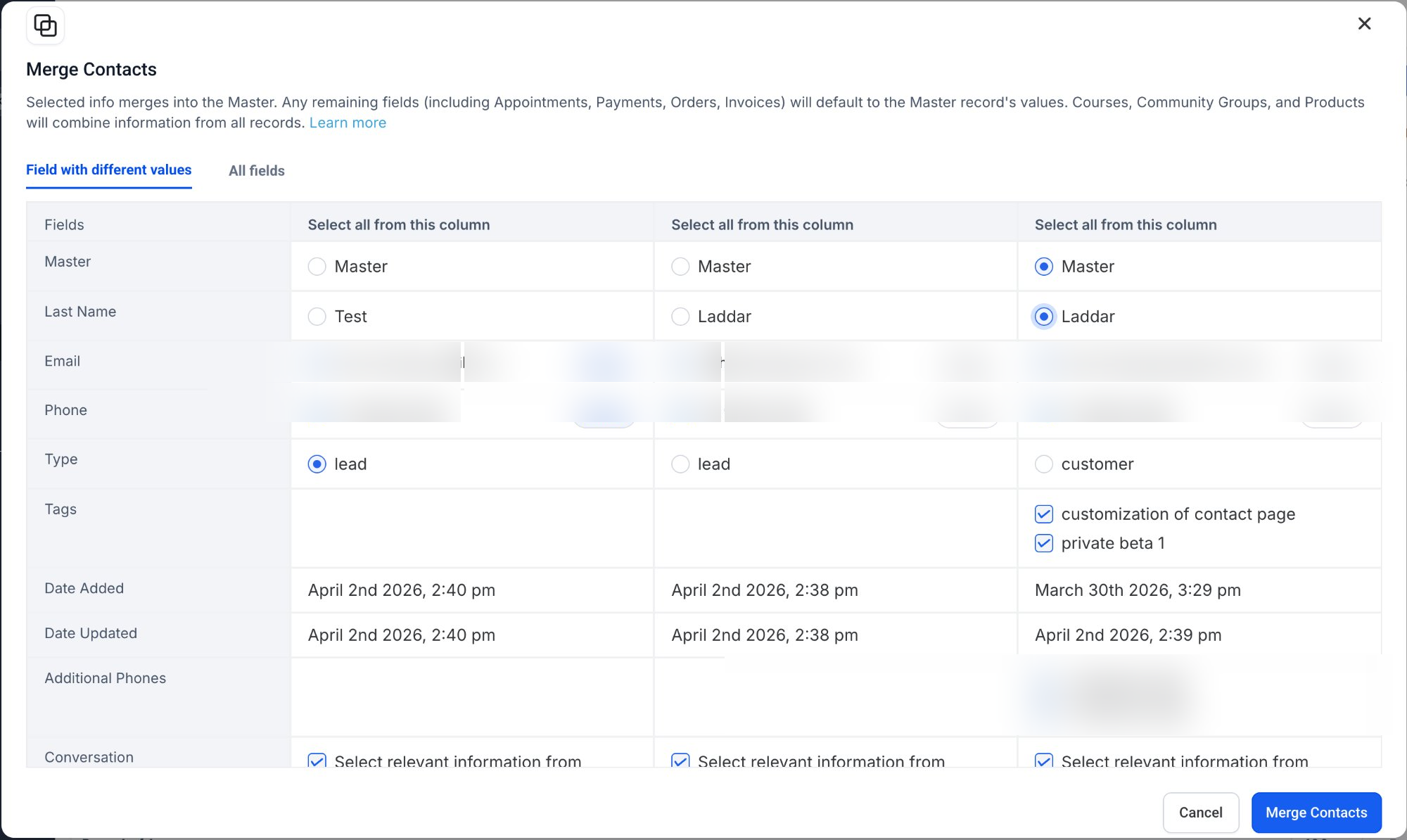
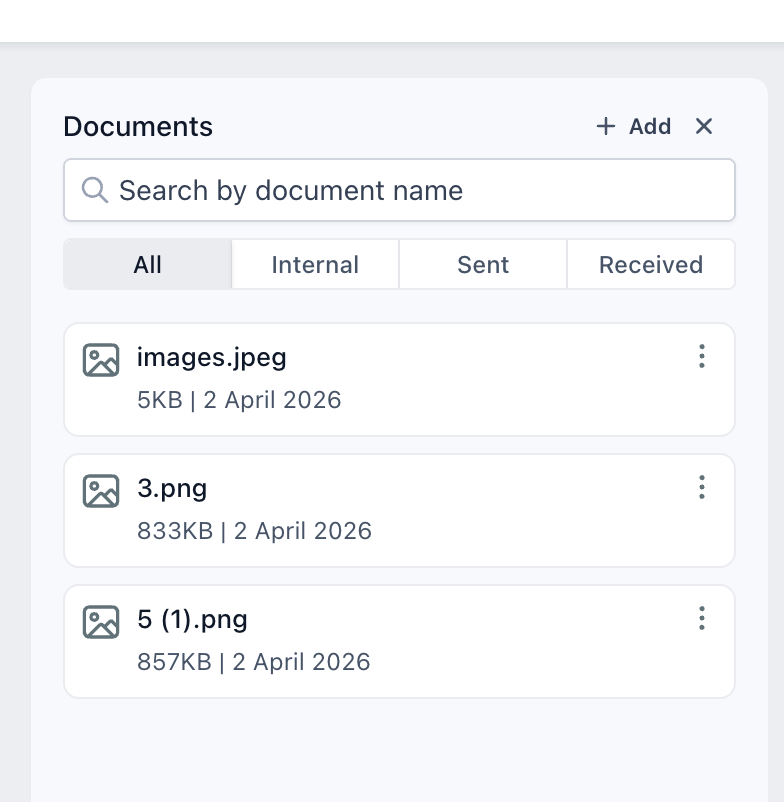
We’ve improved the contact merge experience. Previously, when merging duplicate contacts, documents associated with secondary contacts were not transferred to the primary contact. With this update, there is a seamless document transfer during the contact merge operation.
What’s new?
- Documents from secondary contact(s) are now automatically transferredto the primary contact during a merge.
- All associated files are preserved and accessible within the primary contact record.
- Eliminates the need for manual re-uploadingor tracking of documents post-merge.
How to use
- Navigate to the contactssection
- Select the contacts you want to merge
- Choose the primary (master)contact
- Complete the mergeas usual
- Once merged, go to the documents section of the primary contact to view all combined files
Why does this matter?
- No data loss:Ensures all important documents remain intact during merges.
- Improved efficiency:Reduces manual effort required to manage files across duplicate contacts.
Was this article helpful?
That’s Great!
Thank you for your feedback
Sorry! We couldn't be helpful
Thank you for your feedback
Feedback sent
We appreciate your effort and will try to fix the article